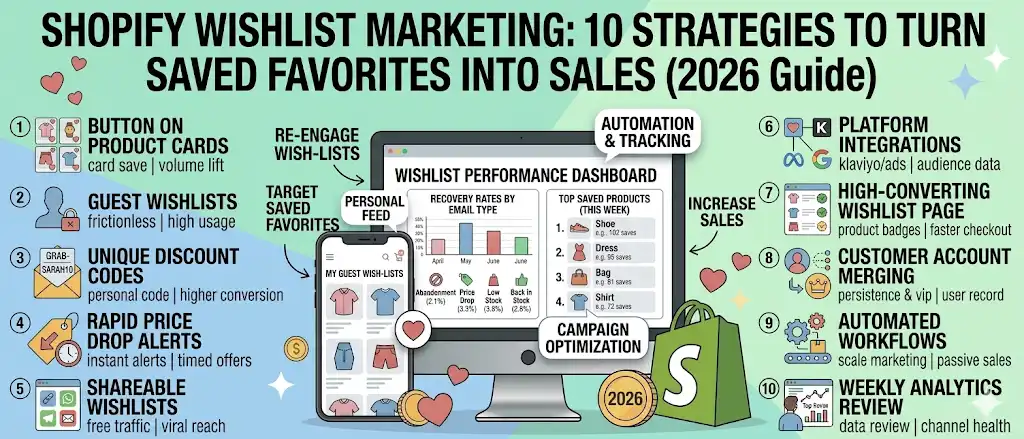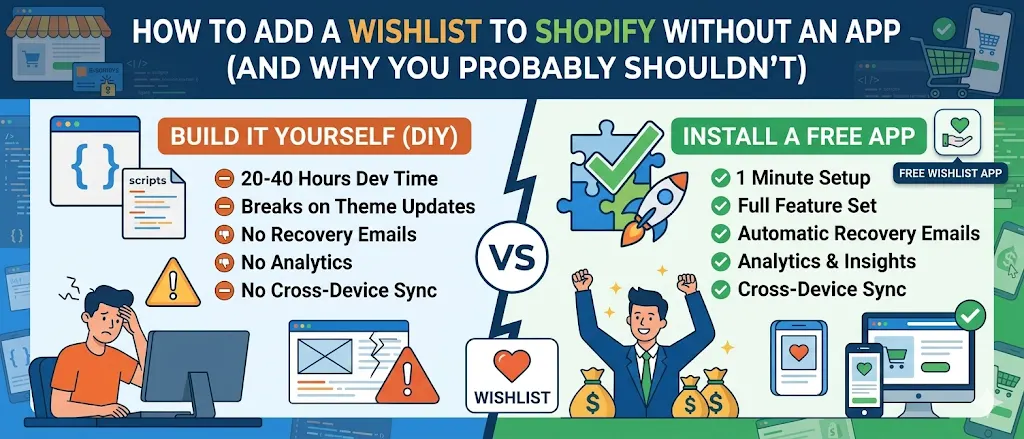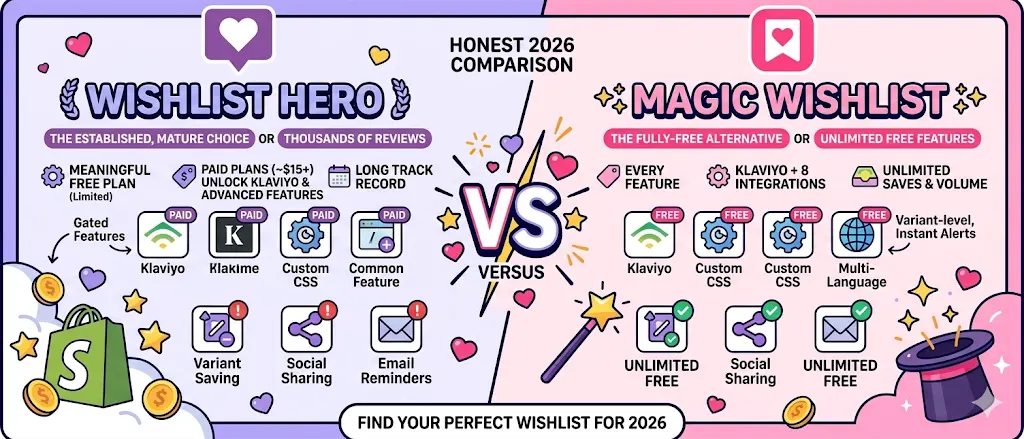
A wishlist is only half the system. The other half is the email that goes out when a shopper drifts away or when their saved item changes. Get those Shopify wishlist recovery email templates right and 5-10% of saved items convert into sales. Get them wrong and the whole channel goes silent.
This post gives you the five Shopify wishlist recovery email templates we see work across hundreds of stores. Each one has the subject line, the timing, the body skeleton, and notes on what to swap for your brand. Copy them. Adapt them. Skip the templates you do not need.
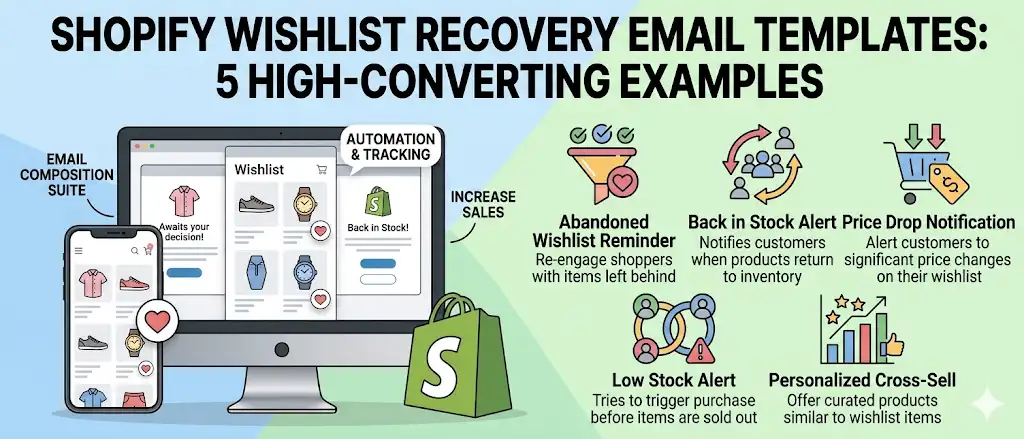
Quick answer: The five high converting Shopify wishlist recovery email templates are:
- Abandonment reminder at 24 hours with a personal discount.
- Price drop alert with the new price in the subject.
- Low stock urgency at 3 units left.
- Back in stock celebration on restock.
- 7-day re-engagement nudge for items still not bought.
Magic Wishlist ships the first four pre-built on the free plan. Full template copy below.
What are Shopify wishlist recovery emails?
Shopify wishlist recovery emails are automated email marketing messages triggered by wishlist activity:
- A shopper saves an item but does not buy.
- A saved item drops in price.
- A saved item returns to stock.
- A saved item runs low.
- A shopper has not engaged with their wishlist for some time.
They are a separate channel from order confirmation email and abandoned cart email. Both of those run on different triggers: confirmation fires after purchase, cart abandonment fires when checkout starts. Wishlist recovery emails fire on intent signals that happen earlier and more often than cart events.
A complete wishlist recovery email stack keeps customers informed at four moments most stores currently ignore. The result is a high converting channel that turns a passive saver into a returning customer at near-zero ongoing cost.
Why wishlist recovery emails increase conversions
Three reasons wishlist recovery emails outperform other Shopify emails.
| Reason | Why it lifts conversion |
|---|---|
| Explicit interest signal | The shopper saved the item. They told you what they want. No guessing, no segmentation. |
| Trigger is the offer | ”Your saved item is back in stock” is the offer. Price drops are the offer. No copy can compete with a real signal. |
| Variant-level relevance | The email is about the exact size and color the shopper picked. Not a similar item. Not a category bestseller. |
The numbers across thousands of Shopify stores:
- Abandoned cart email: 8-12% open, 2-4% conversion.
- Order confirmation email: 60% open, transactional only.
- Review request email: 25-35% open, 1-3% review submission.
- Wishlist recovery emails: 30-55% open, 5-25% conversion depending on template.
The intent gap explains the lift. Wishlist saves precede cart events for most shoppers, so wishlist emails reach a larger pool. And because the trigger is more specific, the conversion per send is higher.
Wishlist recovery vs abandoned cart email
Two related but distinct recovery patterns. Knowing the difference helps you build both.
| Aspect | Abandoned cart email | Wishlist recovery email |
|---|---|---|
| Funnel stage | Started checkout | Saved an item (any time) |
| Trigger event | Checkout started, no order placed | Wishlist activity (save, price change, restock) |
| Audience size | Smaller (only checkout starters) | Larger (anyone who saved) |
| Typical open rate | 8-12% | 30-55% |
| Typical conversion | 2-4% | 5-25% |
| Discount typical? | Yes, on first abandoned cart email | Only on abandonment reminder |
| Replaces the other? | No | No |
The strategic answer: run both. Cart abandonment recovery and wishlist recovery cover different funnel moments and rarely overlap. Together they account for the largest revenue recovery opportunity in most Shopify stores.
For a deeper look at running both channels in parallel, see our abandoned cart vs wishlist recovery guide.
Anatomy of a high converting wishlist email
Four parts matter on every template:
- Subject line. 30-50 characters. Lead with the product name or the offer. Do not tease. Mobile inboxes truncate at 35 characters; assume that is all the shopper sees.
- Preheader. 60-90 characters. The line under the subject. Use it for the variant detail or the urgency message.
- Hero image. Full-width product image at the top. Real photography. The shopper saved this exact item, so show it back.
- One CTA. Single button. Single destination. Do not ask the shopper to make a second decision. The save was the decision.
These four basics apply to every template below.
Best Shopify wishlist recovery email templates
The five templates work in sequence across the life of a saved item. Stores that ship all five recover noticeably more revenue than stores that send only one or two.
Template 1: Abandonment reminder (sent 24 hours after save)
The most-used wishlist email. Sent once, with a personal discount code, to shoppers who saved an item but did not buy.
Subject line: Still thinking about the {{ product_title }}? Preheader: Here’s a code just for you, no rush.
Body:
Hi {{ first_name }},
You saved the {{ product_title }} on {{ saved_date }}. We saved it for you, but we wanted to make it easier to grab.
Use code {{ unique_discount_code }} for {{ discount_amount }} off, valid for the next 7 days.
[ {{ product_image }} ]
{{ product_title }} {{ variant_details }} {{ price }}
[ Buy Now → ]
No rush. The code is yours whenever you’re ready.
The {{ brand }} team
Why it works: Personal discount code (not a generic store-wide offer) gets attention. “No rush” framing avoids the high-pressure tone that makes shoppers ignore retargeting.
What to swap: First name personalization is essential. Skip it and the email reads as bulk. Discount amount should match your typical first-purchase incentive (10-15% works for most stores).
Timing tip: 24 hours is the sweet spot. Earlier feels stalker-ish. Later loses the moment.
Template 2: Price drop alert (fires when saved item drops)
The highest-converting wishlist email. Fire it the moment a saved item’s price decreases.
Subject line: {{ product_title }} just dropped to {{ new_price }} Preheader: The price you wanted, on the size you saved.
Body:
Good news, {{ first_name }}.
The {{ product_title }} you saved is now {{ new_price }} ({{ savings_amount }} off).
[ {{ product_image }} ]
{{ variant_details }} is in stock at the new price.
[ Buy at {{ new_price }} → ]
Prices can change again. This email reflects today’s price.
Why it works: The trigger is the offer. The shopper already wanted the item; you are just removing the price obstacle. Open rates regularly hit 35%+. Conversion above 15%.
What to swap: Almost nothing. The trigger does the work. Keep the email short, lead with the price, single CTA.
Timing tip: Fire within an hour of the price change. The saved item’s price was the obstacle. Every hour of delay weakens urgency.
Template 3: Low stock urgency (fires at threshold)
Sent when a saved item drops below a low-stock threshold. Use sparingly. Fake urgency tanks trust.
Subject line: Only {{ stock_count }} left of your saved {{ product_title }} Preheader: Your size is in low stock, wanted to let you know.
Body:
Hi {{ first_name }},
The {{ product_title }} ({{ variant_details }}) you saved is running low. Only {{ stock_count }} left.
[ {{ product_image }} ]
[ View Product → ]
Not pressure, just a heads-up. We restock when we can.
Why it works: Real scarcity. The trigger is real inventory data, not marketing copy. The “not pressure, just a heads-up” line preserves trust.
What to swap: Only fire when stock is genuinely low (under 5 units for most stores). Set the threshold per product. Limited edition items might trigger at 10, basic inventory at 3.
Timing tip: Once per save, ever. If a shopper has already received the low-stock email for a saved item, do not send it again. Magic Wishlist throttles this by default.
Template 4: Back in stock alert (fires on restock)
The fastest-converting wishlist email after price drops. Fire when a saved variant returns to inventory.
Subject line: {{ product_title }} is back in stock Preheader: Your saved {{ variant_details }} is available again.
Body:
{{ first_name }}, it’s back.
The {{ product_title }} ({{ variant_details }}) you saved is in stock again.
[ {{ product_image }} ]
Stock is limited. Last time we restocked, it sold out in {{ time_to_sellout }}.
[ Buy Now → ]
Why it works: Pure utility email. The shopper wanted this and now they can have it. Open rates above 30%, conversion frequently above 20%.
What to swap: Only mention “sold out in X” if it is true. If the previous restock sat for weeks, leave that line out. Stick to facts. Fashion shoppers spot fake urgency fast.
Timing tip: Fire within minutes of the restock. Shopify’s inventory API updates as soon as you save changes; the email should be on a 5-minute window or shorter.
Template 5: 7-day re-engagement nudge
For shoppers who saved items but did not open the abandonment reminder. One last soft touch before the wishlist goes quiet.
Subject line: Still want the {{ product_title }}? Preheader: We’ll keep your wishlist saved as long as you need it.
Body:
Hey {{ first_name }},
A week ago you saved the {{ product_title }}. It’s still there.
[ {{ product_image }} ]
{{ product_title }} ({{ variant_details }}), {{ price }}
[ Open Your Wishlist → ]
If you’ve moved on, no problem. We’ll quietly keep it saved in case you change your mind.
Why it works: Low-pressure re-engagement. Doesn’t push the sale. Reminds the shopper their wishlist exists. Most stores see 2-4% conversion on this email. Modest, but it captures shoppers who would otherwise be gone.
What to swap: Skip the discount. This email is about reminding, not converting. If a shopper needs a discount to come back, the abandonment reminder already covered that.
Timing tip: 7 days after save. Don’t send this if the shopper bought the saved item in the meantime. Filter it out in your flow logic.
How to use product recommendations and cross selling in wishlist emails
Product recommendations done well lift wishlist email revenue 8-15%. Done poorly they distract from the primary CTA and tank conversion. The rules:
- Always place product recommendations after the primary CTA. The save was the decision. Do not let recommendations compete with it.
- Use category-matched cross selling. A shopper who saved a linen blazer should see linen shirts, not unrelated bestsellers. Same collection or same product tag.
- Cap at two recommendations. More choices reduce click rate per recommendation. Two is the sweet spot.
- Skip recommendations on the price drop alert and back in stock alert. The trigger email already has urgency. Recommendations dilute it.
- Show recommendations on abandonment reminder and re-engagement nudge. These templates already have softer urgency. Cross selling fits without competing.
The pattern: hero product first, single CTA, then a small “you might also like” block with two category-matched items. Anything more becomes a different email entirely.
Best timing for wishlist reminder emails
Timing decides whether wishlist recovery emails feel helpful or annoying. The consensus across thousands of Shopify stores:
| Template | Best timing | Why |
|---|---|---|
| Abandonment reminder | 24 hours after save | Captures the “thinking about it” moment without feeling stalker-ish |
| Price drop alert | Within 1 hour of price change | The price was the obstacle. Every delay weakens urgency |
| Low stock alert | Immediate on threshold crossing | Stock can vanish in hours, especially in fashion |
| Back in stock alert | Within 5 minutes of restock | Beat competitors who saw the same inventory return |
| Re-engagement nudge | 7 days after save | Just enough distance to feel like a useful reminder, not pressure |
Two timing rules apply to every template:
- Use shopper local time when possible. A back-in-stock alert at 3 AM is wasted. Klaviyo and most email tools support send-time optimization.
- Filter purchase events first. If the shopper has already bought the saved variant, no email should fire. Always.
High converting wishlist email subject lines
A reference table of subject line patterns that work across hundreds of stores.
| Template | Pattern that works | Pattern to avoid |
|---|---|---|
| Abandonment | Still thinking about the {{ product }}? | Don’t miss out!!! |
| Price drop | {{ product }} just dropped to {{ price }} | Sale alert! |
| Low stock | Only {{ N }} left of your saved {{ product }} | URGENT, selling out! |
| Back in stock | {{ product }} is back in stock | Guess what’s back?! |
| Re-engagement | Still want the {{ product }}? | We miss you |
The pattern: specific over hyped, product name early, no exclamation points or emoji. Mobile inboxes truncate at 35-50 characters, so the first words have to carry the message.
A/B tests every store should run on wishlist recovery emails
Once your templates are live, A/B test these three variations to dial in performance.
Test 1: With vs without the price in subject line. Price drop emails. Subject with the new price (“dropped to $49”) versus without (“just dropped”). The version with the price typically wins by 8-12% open rate.
Test 2: First name vs no first name. Some studies show first-name personalization is dead. In wishlist emails it consistently lifts opens 3-6%. Worth keeping.
Test 3: Single product vs wishlist summary. When a shopper has 5+ saved items, do you email about one item or the whole list? Single item wins almost always: clearer, less choice paralysis.
How social proof improves wishlist email conversion
Social proof, used sparingly, lifts conversion 3-7% on wishlist abandonment and back in stock templates. Three patterns that work:
- “Sold out in {{ time_to_sellout }} last time.” Use only when accurate.
- ”{{ number_of_savers }} people have this in their wishlist.” Use only when 50+ savers; otherwise it backfires.
- “4.7/5 from 230 reviews.” Pull straight from your Shopify product page.
Skip generic testimonials. They feel pasted in and break the email’s specific-to-this-shopper voice. The most powerful social proof signal in a wishlist email is “your saved item is wanted by other people right now.”
Common wishlist recovery email mistakes to avoid
Six mistakes that show up on most Shopify stores running wishlist recovery for the first time.
Mistake 1: Sending every template to every shopper. The five templates are not all-or-nothing. Pick the four that match your inventory pattern. Skip low-stock alerts if you never run low.
Mistake 2: Not throttling per variant. A shopper who saved Variant X should not get an abandonment reminder AND a price drop alert in the same hour. Magic Wishlist throttles by default; verify your Klaviyo flow filters do the same.
Mistake 3: Discounting in every email. Discounts in price drop and back in stock alerts eat margin without lifting conversion. The trigger is already the offer.
Mistake 4: Burying the CTA. A wishlist recovery email is not a brand newsletter. Hero image, one paragraph, one button. Skip the social media icons, the brand story, the “shop new arrivals” block.
Mistake 5: Ignoring product recommendations entirely. Cross selling done well lifts revenue. Skipping it leaves money on the table. Add two related items below the primary CTA on softer templates.
Mistake 6: Forgetting transactional follow-up. Wishlist recovery emails get the shopper to purchase. Your order confirmation email and review request email handle what comes next. Run them in parallel, not in conflict.
Shopify wishlist recovery email tools that include templates
Most wishlist apps assume you bring your own email tool and templates. A few include both. The comparison:
| Tool | Wishlist events | Pre-built templates | Free plan | Includes Klaviyo integration |
|---|---|---|---|---|
| Magic Wishlist | ✅ All 4 events | ✅ 4 built-in | ✅ Free forever | ✅ Free |
| Klaviyo (alone) | None native | ❌ Build from scratch | Trial only | N/A |
| Other wishlist apps | Varies | Rarely included | Usually paid tier | Often paid |
Look for an emails templates app or wishlist app that bundles both the event source and pre-written templates. That combination is what gets you from “I should set up wishlist emails” to “they are running by tomorrow.”
Standalone wishlist apps that push events but require you to write all the templates yourself are the most common reason wishlist recovery channels stall before launch.
Where wishlist recovery fits in your full Shopify email marketing stack
A complete Shopify email marketing stack has six channels. Wishlist recovery is one. Knowing how it fits next to the others helps you avoid overlap.
- Order confirmation email. Transactional. Fires after every order.
- Shipping notifications. Transactional. Fires on fulfillment events.
- Abandoned cart email / cart recovery email. Recovery. Fires on cart abandonment.
- Wishlist recovery emails. Recovery. Fires on wishlist activity.
- Review request email. Post-purchase. Fires 7-14 days after delivery.
- Marketing campaigns. Scheduled sends, not triggered.
Wishlist recovery sits between abandoned cart recovery and post-purchase review request email. It catches interest that never reached cart, and it complements rather than replaces any other channel.
Stop guessing at wishlist recovery emails
The five Shopify wishlist recovery email templates above cover the full lifecycle of a saved item: from save, to abandonment, to restock, to re-engagement. You do not need to write recovery emails from scratch. You need to fire the right template at the right moment.
Install Magic Wishlist free. All four built-in templates ship pre-written and editable on the free plan. The fifth (7-day re-engagement) takes ten minutes to build in Klaviyo using the events Magic Wishlist pushes automatically.